
Transform Your Boardroom Into a Seamless Hybrid Conference Space in Just One Week
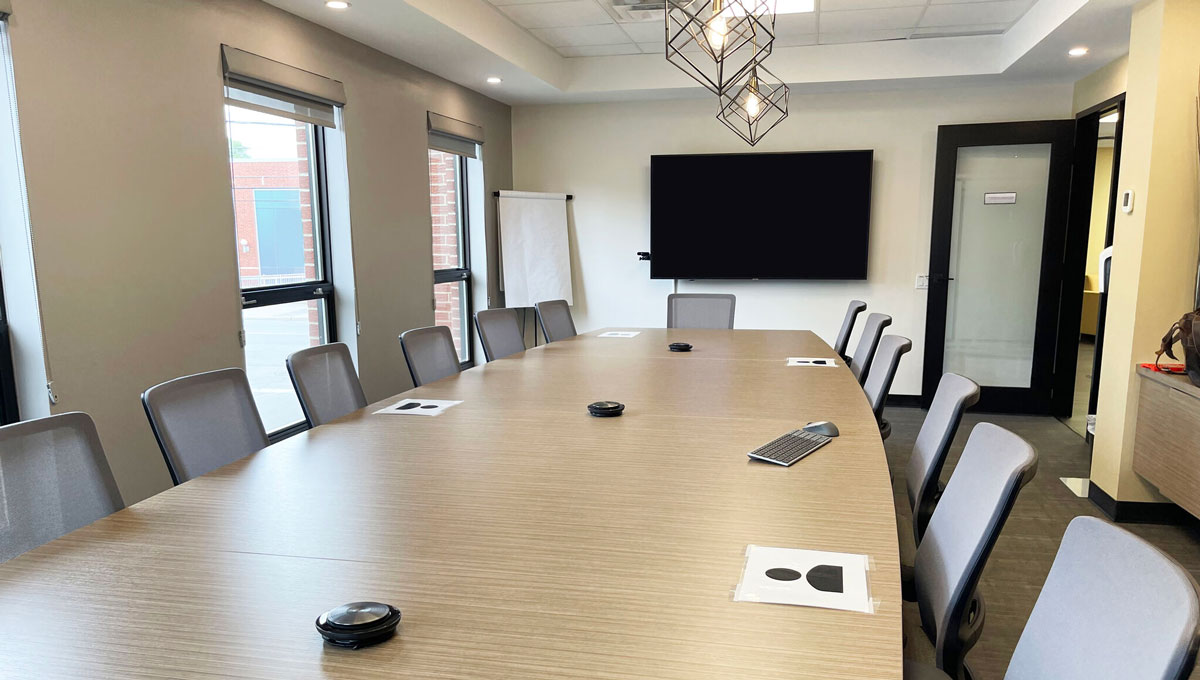
A legal nonprofit client needed a new hybrid video conferencing solution in their boardroom for an event within a week. They were planning on hosting ten participants on-site, with remote guests joining through Teams.
The organization faced significant challenges with its current system, which discouraged them from using it at all.
Dropped calls and unreliable connections disrupted their meetings, causing frustration and inefficiency. Poor audio quality made it difficult for remote participants to hear clearly, often leading to miscommunication. For an organization doing legal work, a garbled call is not just annoying. It is a real communication risk.
The existing system was also cumbersome to set up and use. Staff had to deal with many cables and devices, which wasted time and caused unnecessary stress.
Here's what we delivered.
Our Solution
For optimal communication, we paired three high-quality Jabra conference microphones so that remote guests could hear all the participants sitting around the table.
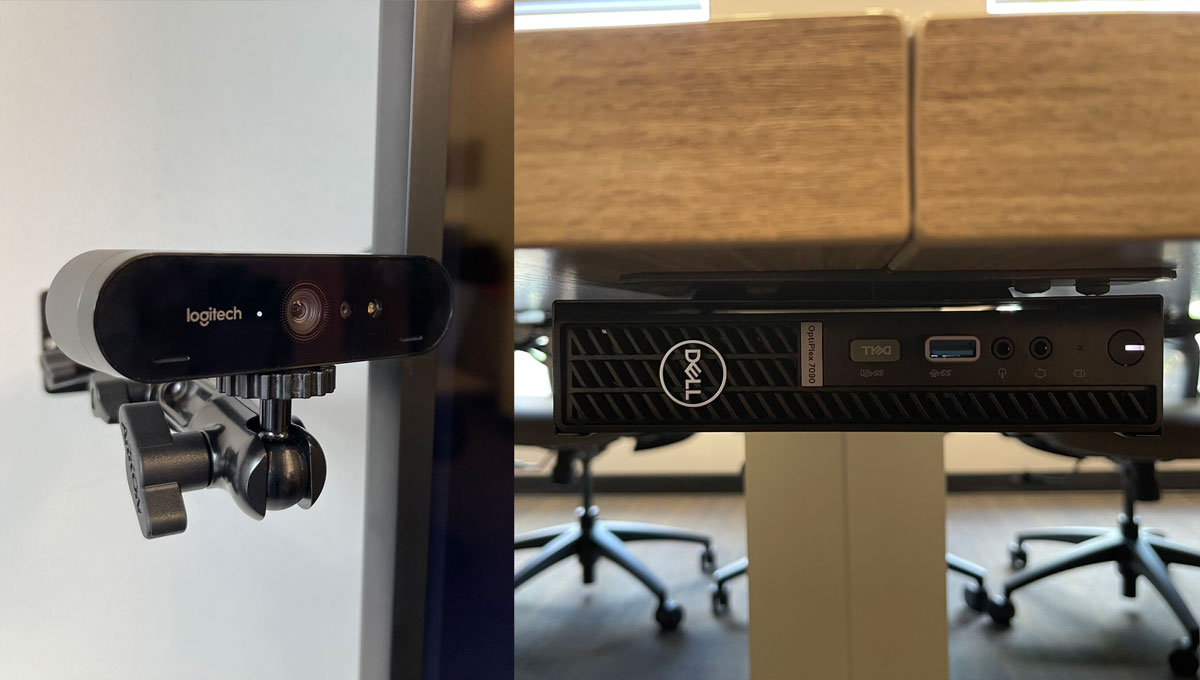
To enhance the visual experience, we mounted a top-of-the-line Logitech web camera, providing high-resolution video that made it feel as if everyone was together in the same room.
A Setup Anyone Can Run
We connected everything using a discreet Dell PC, which we mounted underneath the boardroom table for easy access. We paired it with a quality keyboard and mouse to make it comfortable to use.
Recognizing the potential challenges of setting up for an important meeting, we prioritized ease of use.
By setting up a dedicated Teams account, we eliminated the need for staff to worry about joining with their own account. Meetings start the same way every time, and the organization keeps control of how they are hosted. We also provided a comprehensive quick reference manual, empowering staff to use the solution quickly and confidently.
The Result
The client's first meeting with the new system was a success, and now they feel comfortable setting it up on their own. From request to working boardroom took one week.
Is your boardroom setup holding back your meetings?
Talk to an IT consultantFAQs: Hybrid Conference Rooms
What equipment does a law firm boardroom need for hybrid meetings?
Three things done well: conference microphones that pick up everyone at the table, a high-resolution camera, and a dedicated PC that runs the room. In this build we used three Jabra conference microphones, a Logitech camera, and a discreet Dell PC mounted under the table.
Does a hybrid conference room have to be expensive?
No. This setup used standard business hardware rather than a proprietary room system, which kept it cost-effective while still delivering reliable audio and video for ten in-person participants plus remote guests.
Why set up a dedicated Teams account for the boardroom?
It removes the biggest point of friction and risk: staff no longer join from personal accounts or fight with cables before an important meeting. The room has its own identity, meetings start the same way every time, and the firm keeps control of how meetings are hosted.
Will a setup like this work with Zoom or other platforms?
Yes. The microphones, camera, and PC are standard hardware, so the same room can run Teams, Zoom, or another platform. We configured this room around Teams because that is what the organization already used.
How long does it take to install a hybrid conference room?
This project went from request to a working boardroom in one week, including hardware selection, installation, a dedicated account, and a quick reference manual so staff could run it themselves. Most single-room projects fit a similar timeline.
Takeaway
A hybrid conference room doesn't need to be complex or expensive. With the right components, meaning quality audio, reliable video, and a simple dedicated setup, most firms can dramatically improve their meeting experience for both in-person and remote participants.
Boardroom builds like this are part of how we support firms day to day, alongside Microsoft 365 for law firms and IT consulting. Ongoing management of the room, like everything else in the environment, is covered under ALT Care Plus.

Written by Alex Nedel, CEO of ALT Consulting. He helps law firms build reliable technology foundations, from the boardroom to the security standards insurers and clients expect.
Discover more

The difference between a law firm loving or hating its technology came down to this purchase decision

How a law firm saved 20% on IT software costs monthly by reducing software bloat

From outdated to outstanding: How we modernized a law firm's IT systems

How to Choose the Right Clio Certified Consultant for Your Law Firm

IT Support for Law Firms: What It Covers and How to Compare